Responsibilities are unclear
Solution: Define roles and name the owner of each process.
Expected result: Staff know who prepares and reviews work.
MALUONE ERP MODULES
Explore the controls and reporting that help managers oversee work across teams and branches.
For business owners, department managers and administrators.
Request a Management Demo
Solution: Define roles and name the owner of each process.
Expected result: Staff know who prepares and reviews work.
Solution: Agree reporting definitions, periods and filters.
Expected result: Teams discuss the same measures.
Solution: Review available transaction history with supporting documents.
Expected result: Exceptions can be investigated with context.
Set responsibility → Review → Approve → Monitor → Investigate
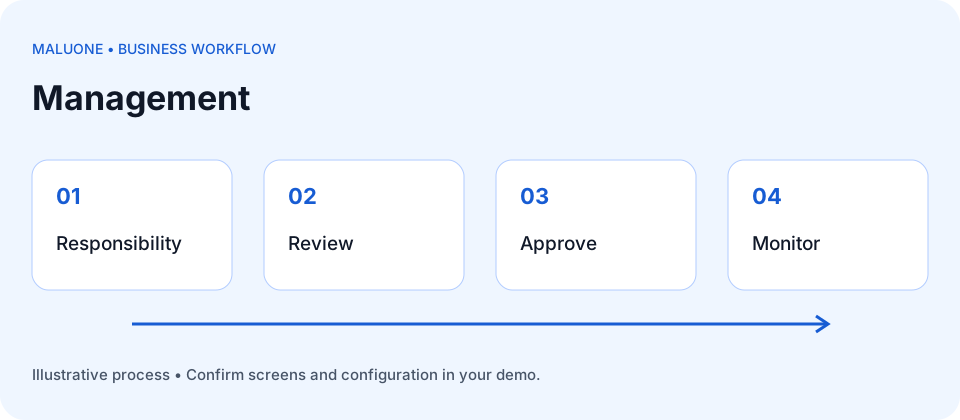
Discuss who can perform each task and which transactions require approval.
Review the information managers need to follow operations across the business.
Explore how transaction history supports review and accountability.
Prevention: Grant permissions according to responsibilities and review access regularly.
Prevention: Use the same reporting period, definitions and filters when comparing results.
Prevention: Trace exceptions from summary measures back to their source records.
Use these illustrative cases to evaluate the workflow with the demonstration team. Confirm the available screens, controls and configuration for your scope.
A company requires manager review for purchases above 5 million LAK. A buyer prepares a 7 million request. Use the demo to check whether the buyer can approve it, whether a manager can return it with a reason, and what happens if its value changes after approval. This is a sample company rule to verify, not a statement of the default configuration.
Read the visual: compare each document or stage separately, then follow the reconciliation shown beside it.
7m exceeds 5m LAK: manager review required
Verify authority and retained history in the demo
Identify who prepares, reviews, approves and follows each type of transaction.
Retain the supporting documents, decision, reason and relevant user and time information available in the system.
Define each measure and report cutoff, then investigate exceptions through the underlying documents.
Work either stops or staff bypass review.
Agree a documented substitute or escalation route and confirm how temporary authority is granted and removed.
The approved evidence may no longer match the final transaction.
Demonstrate whether the change requires a new review and what history remains visible.
Old access may remain active after responsibilities change.
Use an access-review process and confirm deactivation, ownership handover and retained transaction history.
Define allowed actions and branch visibility by responsibility; test restricted actions as well as allowed ones.
Agree whether figures mean ordered, delivered, invoiced or collected amounts, and use consistent dates.
Confirm the exact events recorded, retention requirements and who can view or export history.
Agree the results and any limitations in the implementation scope before launch.
Bring your organization chart, approval rules and management report examples.
Discuss dashboards, role permissions and audit history needs.
Confirm which approvals, branch restrictions and audit events are supported in the selected modules.