Staff cannot explain stock balances
Solution: Record each receipt, transfer and issue with its source document.
Expected result: Movement history explains the balance.
MALUONE ERP MODULES
Understand where your stock is, how it moves and how its value connects to your financial records.
For warehouse teams, purchasing staff and operations managers.
Request an Inventory Demo
Solution: Record each receipt, transfer and issue with its source document.
Expected result: Movement history explains the balance.
Solution: Review the relevant warehouse quantity before confirming delivery.
Expected result: Sales commitments use the correct location's stock.
Solution: Reconcile opening balances, units and costing setup with accounting.
Expected result: Differences can be traced and investigated.
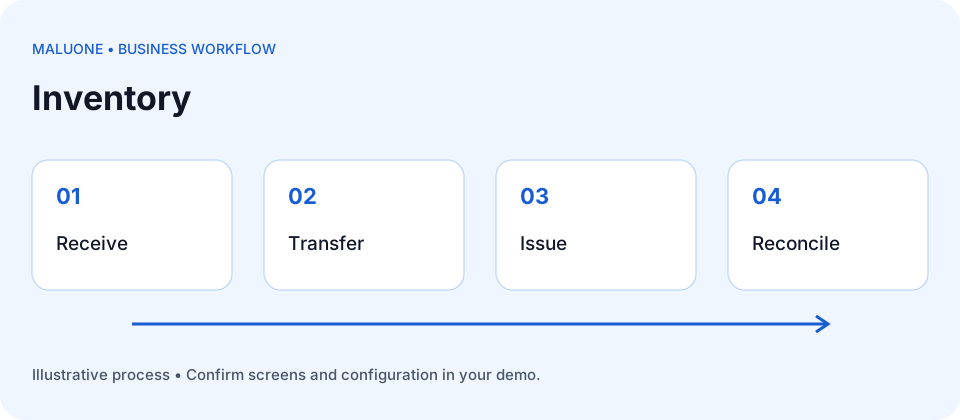
Receive → Store → Transfer → Issue → Reconcile → Value
Organize stock by warehouse and review available quantities before receiving, transferring or issuing goods.
Follow receipts, issues and transfers so your team can explain changes in stock balances. Discuss lot and serial tracking for your products.
Review stock quantities alongside their value and discuss how inventory costing should connect to accounting.
Prevention: Agree one product unit structure and verify conversions.
Prevention: Record both locations and actual quantities when stock moves.
Prevention: Reconcile opening quantities and values against approved records before importing.
Use these illustrative cases to evaluate the workflow with the demonstration team. Confirm the available screens, controls and configuration for your scope.
Start with 100 units in Warehouse A. Transfer 30 to B and issue 20 from A: the recorded balances are A=50 and B=30. If a physical count finds only 28 in B, the two-unit difference needs investigation. Do not silently overwrite 30; retain the count evidence and the approved correction.
Read the visual: compare each document or stage separately, then follow the reconciliation shown beside it.
100 received − 20 issued = 80 total
Retain count evidence before approving a correction
Agree product codes, units, warehouses and any bin, lot or serial requirements before importing stock.
Identify the source and destination of transfers and retain references for receipts, issues and returns.
Set a count cutoff, compare counted and recorded quantities and review movements around the cutoff before approving an adjustment.
Both branches may count the same shipment or neither may recognize it.
Agree who owns the transfer at each stage and demonstrate dispatch, transit and receipt handling.
The on-hand total may include goods that cannot be sold.
Record condition and separate usable, inspection and damaged quantities according to the agreed warehouse process.
A correct physical count can look wrong when earlier movements are missing.
Check document dates and cutoff evidence, then review the authorized correction and its quantity and valuation effects.
Name who records movements, who counts and who approves differences.
Distinguish physical on-hand stock from stock available to promise; confirm reservations and inspection handling.
Reconcile quantities and values by the same cutoff. Confirm costing methods and the treatment of transfers, returns and adjustments.
Agree the results and any limitations in the implementation scope before launch.
Bring a product list, warehouse list, stock count and examples of units used.
Discuss warehouse balances, movement history and stock valuation reports.
Confirm lot/serial requirements, costing methods and any stock reservation rules during the demo.